Synaptica
Every investigation becomes a map.
Every map becomes a document.
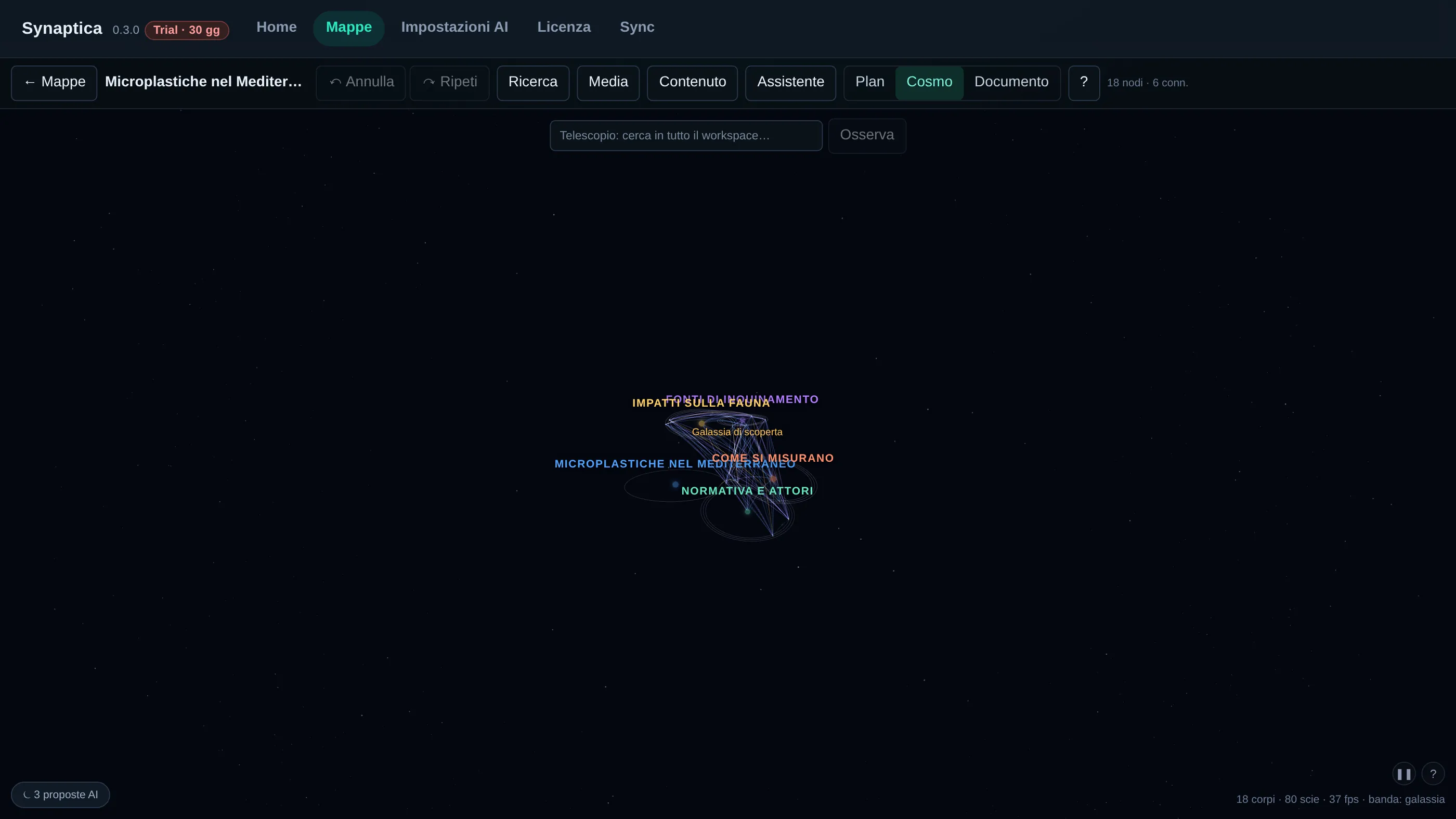
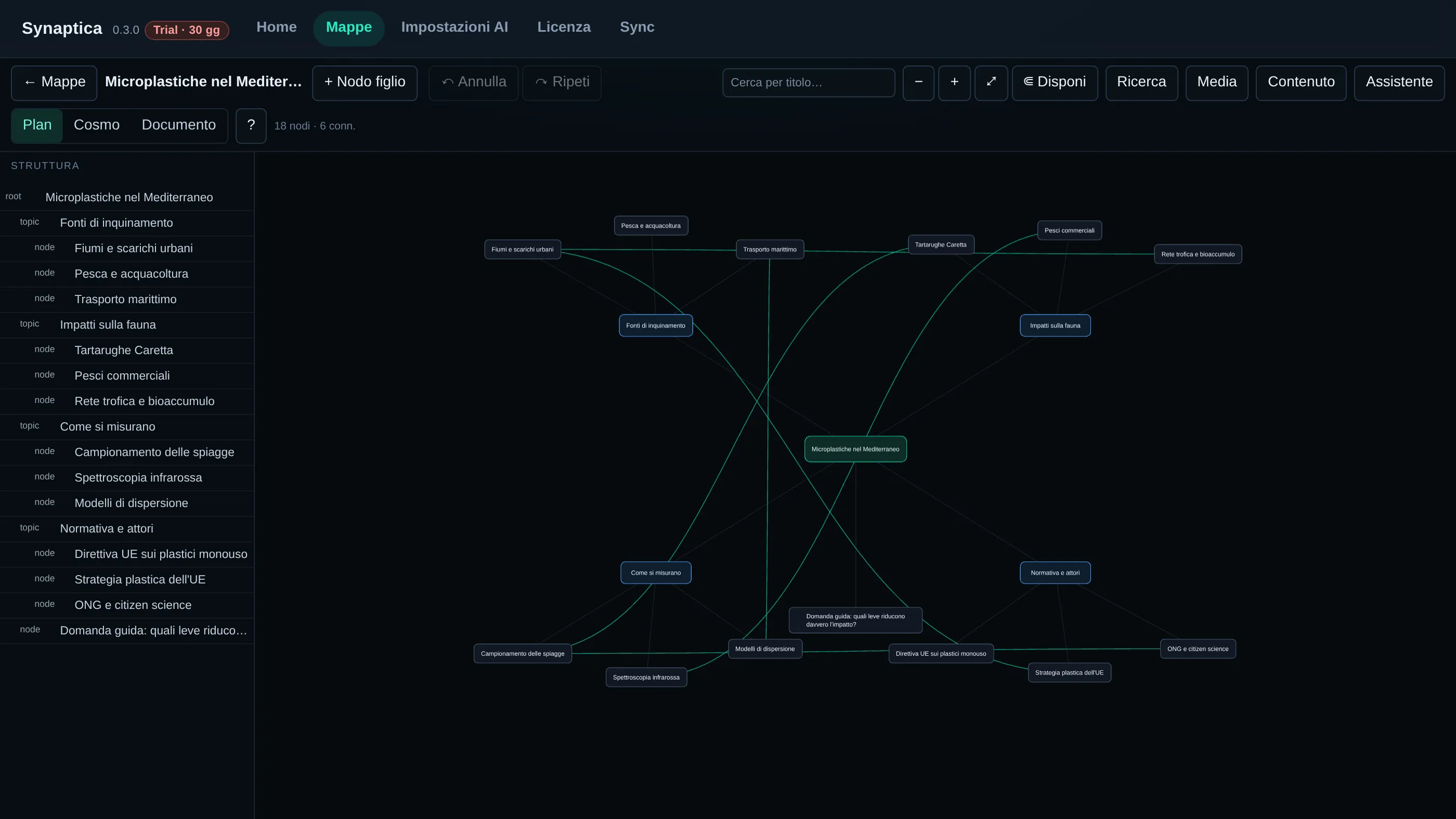
Research, AI indexing and writing — with dual mind mapping in Plan View 2D and Cosmo View 3D. All your data stays on your computer.
Current version: v0.4.0 · released 5 September 2026
The workflow
Collect everything in one workspace
Web pages, PDFs, audio and video transcripts (whisper, locally): every source enters the archive and stays citable forever.
Connect ideas, not just lists
Hierarchical Plan View 2D maps and the spatial Cosmo View 3D; labelled links between distant nodes and semantic search across everything you have collected.
Write with your sources at hand
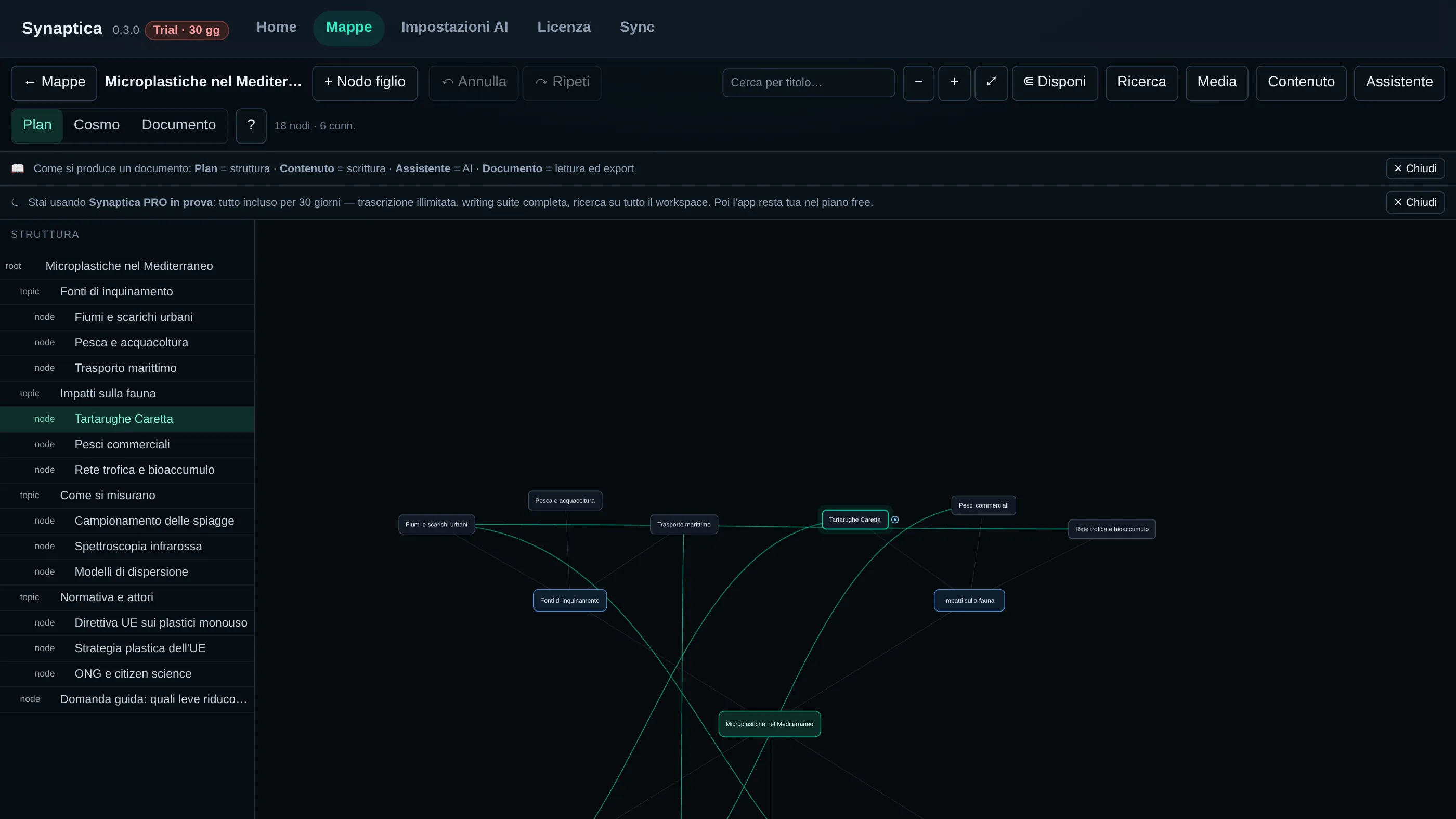
Documents linked to the map, numbered citations in one click, Markdown and JSON export — and, with PRO, PDF with bibliography.
Local by choice
No account, no tracking. The AI runs with your own keys (Ollama, LM Studio, OpenAI and others) and your data never leaves your computer.
From collected data to the finished document
Download
- Linux
- Synaptica_0.4.0_amd64.AppImage 191 MB
Synaptica_0.4.0_amd64.deb 130 MB - macOS
- Synaptica_0.4.0_aarch64.dmg 98 MB
Synaptica_0.4.0_x64.dmg 108 MB - Windows
- Synaptica_0.4.0_x64_en-US.msi 132 MB
AppImage: download, chmod +x, run. Deb: install with your package manager.
Installation and first launch
Windows
- Download the
.msifile and double-click it. - If the “Windows protected your PC” window appears, choose More info and then Run anyway.
- Follow the installer: Synaptica will appear in the Start menu.
macOS
Which file to download: aarch64 for Macs with an Apple chip (M1 and later), x64 for Intel Macs.
- Open the
.dmgand drag Synaptica intoApplications. - On first launch macOS blocks the app (“cannot be verified”). How to proceed, depending on your macOS version:
- macOS 14 (Sonoma) and earlier: right-click Synaptica → Open → confirm with “Open”.
- macOS 15 (Sequoia) and later: once blocked, open System Settings → Privacy & Security, scroll to the Synaptica warning and press Open Anyway.
- From Terminal (any version):
xattr -d com.apple.quarantine /Applications/Synaptica.app
- You only need this on the first launch.
This is the first version of Synaptica released for macOS: if anything looks wrong, write to hello@synaptica.fyi — your reports guide the fixes.
Why a security warning appears
The Windows and macOS installers of this version are not signed. The warning means the publisher is not verified: that verification is a certification Microsoft and Apple issue through their own commercial programs. What the warning means is “unknown publisher”, not “harmful file”.
The integrity of what you download can be verified by anyone, with no middleman: the SHA-256 fingerprint of every file is published in the Checksums section of this page, together with the commands to compare it against the downloaded file.
SHA-256 checksums
f2b90fa0bcd48c69c18e5e3df0568ab8d6ac5d115cf8f0e4559bf6af6d4b085e
3f5809c94d4e5b33dac941778103f24d14ede35d26432d8f50cc153bd50566b1
a6aab7ac044dd644e99f4683177e39c387a04ab7975bc272eb495cdd899afea8
1e2e232aecf0f7629bdcdfd8f2ed9e27f563d265718f3d887a3231835b2a27bf
4f0caa935c917eb945dfb66df865c8d476fda243c68a03d7ab807f736886a9a5
How to verify: Linux sha256sum filename · macOS shasum -a 256 filename · Windows (PowerShell) Get-FileHash filename. The output must match the fingerprint published above.
PRO license — €49/year
Synaptica is fully usable for free, forever. PRO unlocks what you need when you work with it every day:
| Free | PRO | |
|---|---|---|
| Plan View 2D maps, Cosmo View 3D, AI Q&A with your own key | ✓ | ✓ |
| Source archive, citations in the map, Markdown/JSON export | ✓ | ✓ |
| Local audio/video transcription | 120 min/month | Unlimited |
| PDF export and bibliography in documents | — | ✓ |
| Semantic search | in the current map | across the whole workspace |
| End-to-end encrypted multi-device sync (your own WebDAV/S3) | — | ✓ |
After purchase you receive the key by email and activate it in the app (License panel). The purchase will open on this page.